
DataKill Ransomware Decryption: Forensic Recovery Guide
Encrypted by .datakill ransomware? Learn how to break the DataKill encryption loop, recover your files, and dismantle the attack chain without paying the ransom.
The emergence of DataKill ransomware represents a new and dangerous trend in cybercrime: fast, efficient encryption designed for widespread disruption rather than targeted extortion. While less sophisticated than enterprise-grade strains like Qilin, DataKill’s speed and brute-force approach make it a formidable threat to small businesses, educational institutions, and individual users. Its sole purpose is to encrypt data quickly and demand a ransom, leveraging fear and urgency to compel payment.
This guide provides a comprehensive breakdown of the DataKill variant, offering actionable intelligence and proven recovery methodologies to help you reclaim your data without bowing to extortion.
Related article: VantaBlack Ransomware Recovery: How to Decrypt .35RUT Files
Technical Breakdown of DataKill Ransomware
DataKill is a relatively straightforward ransomware family, often written in high-level languages like C++ or .NET, which makes it easier for threat actors to modify and distribute. Its design prioritizes encryption speed over stealth or advanced evasion techniques.
| Technical Identifier | DataKill |
|---|---|
| Written In | C++, .NET |
| Encryption Logic | AES-256-CBC & RSA-2048 |
| Common Extensions | .datakill |
| Primary Vectors | Phishing, Exploit Kits, RDP Brute-Force |
| Typical Target | Windows PCs, Network Shares, Local Data |
| Ransom Note | !!!READ_ME_DATAKILL!!!.txt |
The encryption process is a standard hybrid model. DataKill uses the AES-256-CBC (Cipher Block Chaining) algorithm to encrypt the content of files. For each victim, a unique AES key is generated. This key is then encrypted using the attackers’ RSA-2048 public key and stored within the encrypted file or a separate configuration file. The .datakill extension is appended to every encrypted file, serving as a clear and undeniable marker of the infection.
The primary attack vectors are a reflection of its opportunistic nature. Phishing emails with malicious attachments or links remain the most common distribution method. DataKill is also bundled into exploit kits that take advantage of unpatched software vulnerabilities. Finally, exposed RDP ports are attacked with brute-force tools to gain a direct foothold on a system.
Read More: The Wman Ransomware Attack: A Complete Recovery and Decryption Guide
Comprehensive Infection Scope: A Focused Threat
Unlike multi-platform threats, DataKill is almost exclusively a Windows-focused ransomware. Its goal is to encrypt as much data as possible on the compromised machine and any accessible network shares.
1. Windows Workstations and Laptops
This is the primary target for DataKill. It encrypts user profiles, documents, pictures, and any local files, causing immediate disruption for the individual user.
2. Network Attached Storage (NAS) and Network Shares
If the infected machine has mapped network drives or access to a NAS device, DataKill will aggressively encrypt those files as well. This is how a single infected workstation can cripple an entire small office.
3. Local and External Drives
DataKill does not discriminate. It will encrypt any drive letter it can see, including connected USB flash drives, external hard drives (DAS), and secondary internal hard drives. This makes it particularly dangerous for users who rely on external drives for backups.
Summary Table: Device Infection Scope
| Device Category | Target Platform / OS | Primary Encryption/Attack Method |
|---|---|---|
| Workstations | Windows 10/11 | Encrypts user files and local directories via executable. |
| Network Storage | Windows Network Shares, NAS | Encrypts files on mapped drives and accessible SMB shares. |
| Removable Media | USB Drives, External HDDs | Encrypts any volume with a drive letter upon connection. |
Decoding the Threat: The DataKill Ransom Note
DataKill employs a direct and aggressive extortion tactic. The ransom note is designed to be easily found and to create a sense of immediate panic. It is typically dropped in every directory that contains encrypted files.
The full text of a typical DataKill ransom note reads as follows:
!!! ALL YOUR FILES HAVE BEEN ENCRYPTED BY DATAKILL !!!

Your documents, photos, databases, and other important files have been locked with our unique AES-256 encryption.
Do not try to rename or change your files, this will lead to permanent data loss.

To get your files back, you must pay a ransom of 0.5 Bitcoin (BTC) within 72 hours.
If payment is not received in time, the price will double, and your data will be leaked on our public blog.

How to pay:
1. Create a Bitcoin wallet (if you don't have one). We recommend Blockchain.info.
2. Buy the required amount of Bitcoin.
3. Send the Bitcoin to the address below: [Bitcoin Address]
4. After payment, contact us at datakill_support@protonmail.com with your personal ID.

YOUR PERSONAL ID: [Random ID String]

!!! WARNING !!!
Do not contact law enforcement or IT support. They cannot help you.
Any attempt to decrypt files by yourself will result in corruption.
We are the only ones who can restore your data.

DataKill Team
The note is a classic example of ransomware social engineering. It creates urgency with a 72-hour deadline, threatens to double the price, and introduces a data leakage threat to increase pressure. It explicitly warns against seeking third-party help, attempting to isolate the victim and funnel them directly into the attackers’ payment system.
Indicators of Compromise (IOCs) and Attack Behavior
Recognizing the unique signatures of a DataKill infection is critical for rapid containment.
DataKill IOCs:
- File Extensions: The most obvious indicator is the
.datakillextension appended to all files. - Ransom Note Files: The presence of a file named
!!!READ_ME_DATAKILL!!!.txtis a definitive indicator. - Process Names: Look for a suspicious process with a random name or a name like
datakill.exe,encryptor.exe, orpayload.exerunning in Task Manager. - Registry Modifications: DataKill may create persistence keys in
HKEY_CURRENT_USER\Software\Microsoft\Windows\CurrentVersion\Runto ensure it runs every time the user logs in. - Scheduled Tasks: A new scheduled task may be created to launch the ransomware at a specific time or upon system startup.
Tactics, Techniques, and Procedures (TTPs) with MITRE ATT&CK Framework:
- Initial Access (TA0001): DataKill gains access primarily through user interaction, such as clicking a malicious link in a phishing email or opening an infected attachment from an exploit kit.
- Execution (TA0002): The ransomware executes its payload immediately upon being run by the user. It does not typically use advanced evasion tactics like forcing a reboot into Safe Mode.
- Persistence (TA0003): It establishes persistence using simple registry run keys or scheduled tasks to ensure it can continue encrypting files or re-encrypt them if they are restored.
- Defense Evasion (TA0005): Its primary defense evasion is speed. It encrypts files as quickly as possible before security software can react. It will attempt to delete Volume Shadow Copies (T1490) using
vssadmin.exeto prevent easy file recovery. - Impact (TA0040): The primary impact is widespread data encryption (T1486) designed to cause maximum disruption to the user’s data and workflow.
Path 1: The Direct Decryption Solution
The most direct path to recovery is using a tool specifically designed to reverse the encryption.
Our Specialized DataKill Decryptor
Our team has analyzed the DataKill encryption implementation and has developed a free decryptor tool. Due to potential flaws in the malware’s key management or encryption process, it is often possible to recover the AES key and restore files without interacting with the attackers.
Step-by-Step Guide:
- Step 1: Assess the Infection: Confirm that files now end in .datakill, and verify the presence of the
!!!READ_ME_DATAKILL!!!.txtfile. - Step 2: Secure the Environment: Disconnect the infected device from the network to halt further propagation. It is critical to remove the malware from your system first to prevent re-encryption.
- Step 3: Submit Files for Analysis: Send a few encrypted samples (under 5MB) and the ransom note text file to our team. This allows us to confirm the DataKill variant and build an accurate recovery timeline.
- Step 4: Run the DataKill Decryptor: Launch the tool with administrative privileges. The decryptor will scan the system for encrypted files and attempt to recover the decryption keys.
- Step 5: Enter the Personal ID: The Personal ID from the ransom note is sometimes required to help the decryptor identify the specific encryption key used in your attack.
- Step 6: Automated File Restoration: Once initiated, the decryptor verifies file integrity and restores data automatically without requiring further user interaction.
Also read: The XEX Ransomware Threat: A Definitive 2025 Guide to Recovery and Resilience
Public Decryption Tools and Repositories
If our tool is not applicable, several public initiatives are invaluable.
- ID Ransomware Service: Before you download any tool, use the free ID Ransomware service. Upload the ransom note and a sample encrypted file to identify the strain and check for available decryptors.
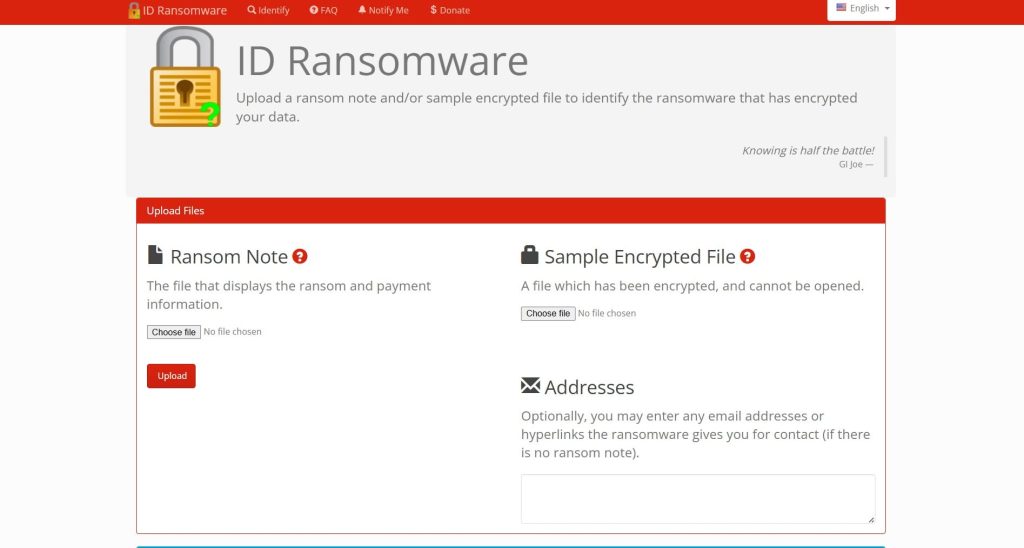
- The No More Ransom Project: This is the most important resource. Visit their Decryption Tools page and use the search bar to look for “DataKill”.
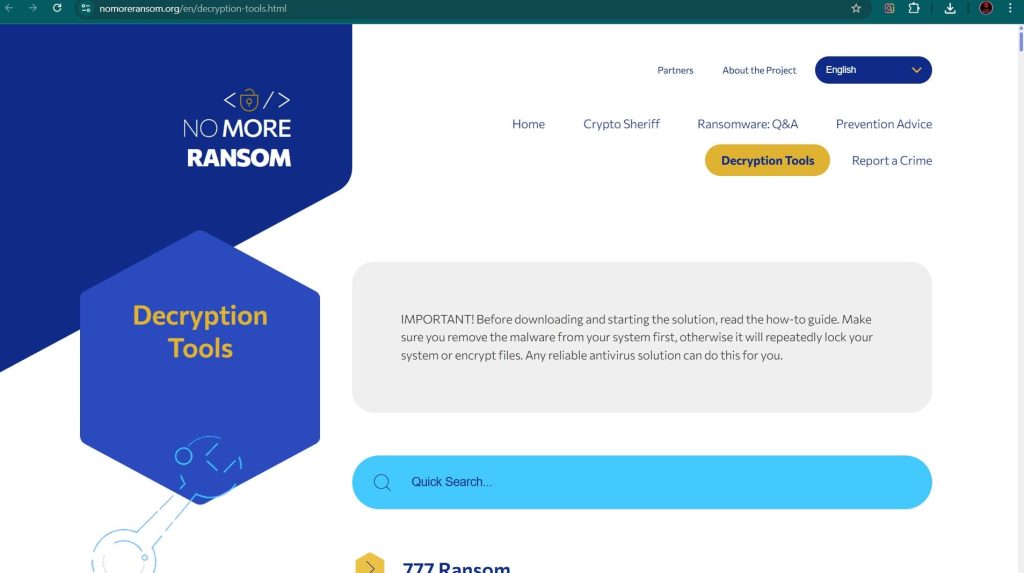
- Major Security Vendor Decryptors:
- Emsisoft: Check their website for available tools.
- Kaspersky: Through its No Ransom portal.
- Avast: Find tools on the Avast Ransomware Decryption Tools page.
Path 2: The Gold Standard – Backup Restoration
If a decryptor is unavailable or fails, restoring from a backup is the most reliable and secure recovery method.
Cloud and Native Backups
- Microsoft OneDrive: If you use OneDrive, you may be able to restore your files using its Version History feature. If ransomware has encrypted your files, you can restore previous, unencrypted versions.
- Windows File Versions (Shadow Copies): DataKill likely attempts to delete these, but sometimes remnants remain. To check, right-click on an encrypted file, select
Properties, and go to thePrevious Versionstab. If any shadow copies survived, you can restore them from there.
File History and System Restore
- Windows File History: If you had File History enabled on an external drive, you can use it to restore previous versions of your personal files.
- System Restore: This is unlikely to help with encrypted files, as System Restore does not affect user data. However, it can be useful to remove the ransomware executable if it has infected system files.
Path 3: Advanced Forensic Data Recovery
This is a last resort but can be successful in specific scenarios, particularly with large, unstructured files.
- File Carving: For certain file types like images or documents, if the encryption process was interrupted, it might be possible to use file carving tools to recover unencrypted fragments of files from the free space on the disk.
- Data Recovery Tools: In some cases, if the ransomware encrypted a file by creating an encrypted copy and deleting the original, a file recovery tool like EaseUS Data Recovery Wizard or Stellar Data Recovery might be able to “undelete” the original, unencrypted file before it is overwritten.
- Important Procedure: These methods are not guaranteed to work and should only be attempted by professionals or as a last-ditch effort. Any use of the drive after the infection decreases the chances of success.
Path 4: System Repair and Diagnostics
DataKill can cause system instability. These tools can help you regain control of your system to perform other recovery steps.
Hiren’s BootCD PE
Hiren’s BootCD is a legendary tool for IT professionals. The modern “PE” (Preinstallation Environment) version is a bootable Windows PE that contains a suite of useful tools for system recovery and repair.
- How it Works: You boot your computer from a USB drive or CD containing Hiren’s BootCD. This loads a mini Windows environment that runs entirely from the bootable media, bypassing your infected hard drive.
- Useful Tools: It includes a web browser, file managers, and tools for resetting Windows passwords, checking the hard drive for errors, and removing malware. It is an invaluable utility for gaining control of a compromised system. You can download it from the official Hiren’s BootCD website.
Essential Incident Response and Prevention
Recovery is only one part of the process. A full response includes containment, eradication, and future prevention.
Containment and Eradication
- Isolate the Infected System: Immediately disconnect the machine from the network by unplugging the Ethernet cable or disabling Wi-Fi.
- Remove the Malware: After isolating the system, use a reputable antivirus or anti-malware program to scan for and remove the DataKill executable.
- Change All Passwords: Assume that credentials may have been compromised and change passwords for user accounts.
Hardening Your Defenses
The traditional “antivirus and firewall” model is no longer sufficient. Modern ransomware requires a multi-layered defense strategy.
- Endpoint Protection Platforms (EPP/EDR): Solutions like SentinelOne Singularity™ Endpoint and CrowdStrike Falcon focus on preventing ransomware from establishing a foothold.
- Integrated Cyber Protection: Tools like Acronis Cyber Protect combine a traditional antivirus with integrated backup and recovery.
- The 3-2-1 Backup Rule: Maintain at least three copies of your data, on two different types of media, with one copy stored off-site or in the cloud. Test your backups regularly.
- Employee Training: Conduct regular security awareness training to teach staff how to spot phishing emails and malicious links.
Conclusion: Building Resilience Against Opportunistic Threats
DataKill ransomware, while less complex than its enterprise-focused counterparts, remains a serious threat due to its speed and the high value of personal and small business data. Its success relies on victims being unprepared. The path to resilience lies in a proactive security posture, grounded in robust, regular backups and a healthy skepticism towards unsolicited emails and links. By understanding the tactics of DataKill and investing in the right defenses and recovery practices, you can protect your data and ensure that an opportunistic attack remains a manageable inconvenience rather than a catastrophic loss.
Reporting and Frequently Asked Questions (FAQ)
Reporting Obligations
Report the incident to help combat cybercrime.
- Report to Law Enforcement: In the US, file a complaint with the FBI’s IC3. In the UK, report to Action Fraud.
- Report to CISA: The U.S. Cybersecurity & Infrastructure Security Agency (CISA) urges reporting via its portal.
Frequently Asked Questions (FAQ)
Contact Us To Purchase The DataKill Decryptor Tool


2 Comments