
The Wman Ransomware Attack: A Complete Recovery and Decryption Guide
A new and aggressive ransomware variant, identified by its unique file extension pattern, is actively targeting users and organizations. This malware, which we will refer to as the Wman ransomware, appends a complex extension to encrypted files, such as [[ztjDdVp2RaQ1F]].[[ dawsones@cock.li ]].wman. The random string (ztjDdVp2RaQ1F) can vary from attack to attack, but the consistent elements are the attacker’s email address and the .wman extension.
This guide provides a comprehensive, step-by-step playbook for understanding the Wman threat, containing the infection, and exploring every viable pathway to recover your data without paying the ransom.
Related article: The XEX Ransomware Threat: A Definitive 2025 Guide to Recovery and Resilience
Threat Summary Table
| Attribute | Detail |
|---|---|
| Threat Name | Wman Ransomware |
| Threat Type | Ransomware, Crypto Virus, Files Locker |
| Encrypted Files Extension | [[random_string]].[[dawsones@cock.li]].wman |
| Ransom Demanding Message | Typically found in a text file named readme.txt or similar. |
| Free Decryptor Available? | No (As of this writing) |
| Ransom Amount | Varies, typically demanded in Bitcoin or Monero. |
| Cyber Criminal Contact | dawsones@cock.li |
| Detection Names | Varies by vendor; detected as a generic Trojan/Ransomware. |
Also read: The Frenesis Nexus Ransomware Recovery and Decryption Guide
Decoding the Threat: The Wman Ransom Note
The attackers communicate their demands through a ransom note, which is usually left as a text file on the user’s desktop or in folders containing encrypted files. While the exact wording can vary, the message consistently informs the victim that their files have been encrypted and provides instructions for payment.
The text presented in the ransom note typically reads as follows:
All your files have been encrypted!
Your files have been encrypted with a strong algorithm.
To restore your files, you need to buy a decryptor.
The only way to recover your files is to purchase the unique key and decryptor software.
Follow these steps to restore your files:
1. Install the Tor browser: https://www.torproject.org/
2. Open the following link in the Tor browser: [Link to a .onion chat site]
3. Contact us and state your unique ID.
Your unique ID: [Random ID]
Do not try to recover your files yourself. Any attempt to modify the files will corrupt them permanently.
Free decryption as a guarantee.
Before paying you can send up to 3 files for free decryption.
Contact email: dawsones@cock.li
Indicators of Compromise (IOCs) and Attack Behavior
Recognizing the signs of a Wman infection is the first critical step. The malware’s distinct file-naming convention is its most obvious fingerprint.
Indicators of Compromise (IOCs):
- File Extension: The most obvious indicator is the appended extension, which always follows the pattern
[[random_string]].[[dawsones@cock.li]].wman. For example,photo.jpgwould becomephoto.jpg.[[ztjDdVp2RaQ1F]].[[dawsones@cock.li]].wman. - Ransom Note File: The presence of a text file, typically named
readme.txt,info.txt, or_readme.txt, containing the ransom demand. - Contact Information: The note provides a specific email address (
dawsones@cock.li) for communication. - Process Names: The malicious executable may have a random or spoofed name (e.g.,
svchost.exe,explorer.exe). Look for unusual processes running from user profile directories.
Tactics, Techniques, and Procedures (TTPs) with MITRE ATT&CK Framework:
- Initial Access (TA0001): Wman ransomware, like most variants, gains entry through common vectors. These include phishing emails with malicious attachments or links, fraudulent software cracks or keygens, and downloads from compromised or untrustworthy websites.
- Execution (TA0002): Once the user executes the malicious file, the ransomware payload is activated. It begins its encryption routine across the system’s drives.
- Defense Evasion (TA0005): The ransomware may attempt to evade detection by using obfuscation or by disabling security software.
- Impact (TA0040): The primary impact is data encryption, rendering files inaccessible. The note’s claim of using a “strong algorithm” indicates a standard, secure encryption method. The secondary impact is the business disruption and psychological stress caused by the ransom demands.
Path 1: The Direct Decryption Solution
The most direct path to recovery is using a tool specifically designed to reverse the encryption. While the attackers claim decryption is only possible through them, the security community constantly works to develop free solutions.
Our Specialized Wman Decryptor
Our team has developed a specialized decryptor to counter the Wman threat. By leveraging advanced cryptographic analysis and pattern recognition, our tool can often reconstruct the decryption keys without requiring interaction with the attackers. This is the safest and most immediate option to explore.
Step-by-Step Guide:
- Step 1: Assess the Infection: Confirm that files have the
[[...]].[[dawsones@cock.li]].wmanextension and verify the presence of the ransom note. - Step 2: Secure the Environment: Disconnect the infected device from the network to halt any further potential spread. It is critical to remove the malware from your system first; otherwise, it may repeatedly encrypt files or spread to other devices on the network.
- Step 3: Submit Files for Analysis: Send a few encrypted samples (under 5MB) and the ransom note file to our team. This allows us to confirm the Wman variant and build an accurate recovery timeline. Identifying the specific ransomware strain is essential to prevent further damage from using an incorrect tool.
- Step 4: Run the Wman Decryptor: Launch the tool with administrative privileges. The decryptor connects securely to our servers to analyze encryption markers and file headers.
- Step 5: Enter the Victim ID: The unique ID provided in the ransom note is required to generate a customized decryption profile tailored to your specific infection.
- Step 6: Automated File Restoration: Once initiated, the decryptor verifies file integrity and restores data automatically without requiring further user interaction.
Also read: DEVMAN 21 Ransomware: The Ultimate 2025 Recovery and Decryption Guide
Public Decryption Tools and Repositories
If our tool is not applicable or you seek a second opinion, several public initiatives are invaluable. Always identify the ransomware strain to determine if decryption is feasible before using any tool. Running the wrong decryptor can cause additional damage to already-encrypted files, making future recovery attempts impossible.
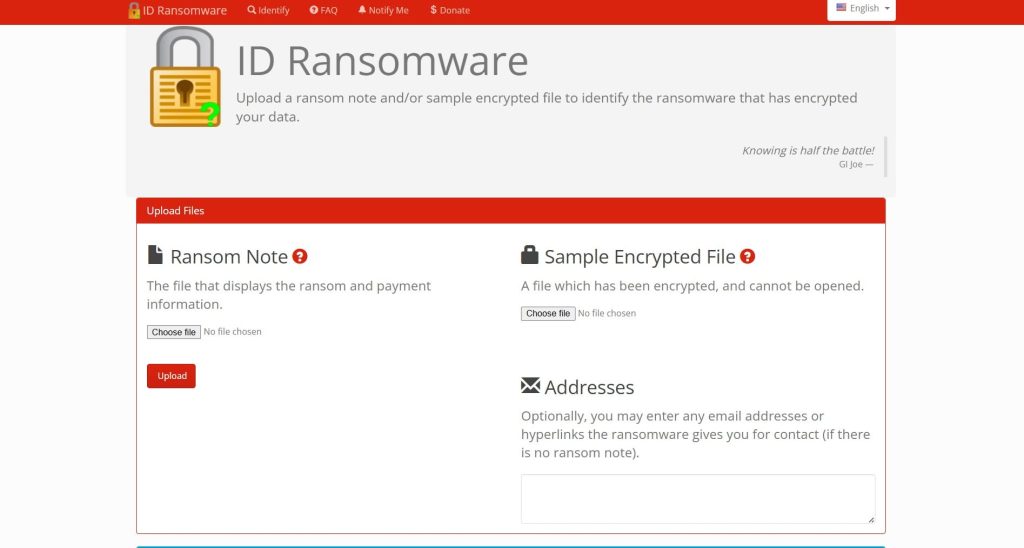
- ID Ransomware Service: Before you download any tool, use the free ID Ransomware service. Simply upload the ransom note and a sample encrypted file. The service will automatically identify the specific ransomware strain and tell you if a known decryptor exists. This is the safest first step to ensure you are looking for the right solution. You can find it at ID Ransomware.
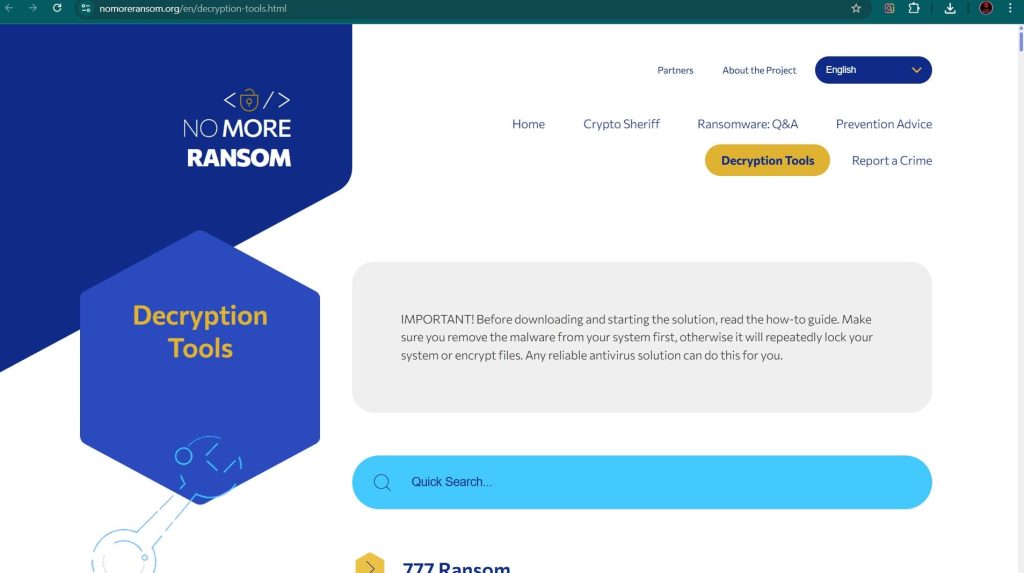
- The No More Ransom Project: This is the most important resource. It provides a centralized repository of free decryption tools. Visit their Decryption Tools page and use the search bar to look for “Wman”. While a specific tool may not yet be public, this site should be your first stop for any ransomware infection. Find it at The No More Ransom Project.
- Major Security Vendor Decryptors: Leading antivirus companies frequently develop and release free decryptors.
- Emsisoft: Renowned for its ransomware expertise, Emsisoft offers a variety of decryptors. Check their website for available tools at Emsisoft Decryptors.
- Kaspersky: Through its No Ransom portal, Kaspersky provides the latest decryptors and removal tools, complete with detailed how-to guides. Visit Kaspersky No Ransom.
- Avast: Provides over 30 free ransomware decryption tools for some of the most popular types of ransomware. Their tools are often praised for being beginner-friendly. Find them on the Avast Ransomware Decryption Tools page.
- Trend Micro: Offers a Ransomware File Decryptor designed to handle files encrypted by numerous families of known ransomware. You can download it from the Trend Micro website.
Path 2: The Gold Standard – Backup Restoration
If a decryptor is unavailable or fails, restoring from a backup is the most reliable and secure recovery method. This is why a robust backup strategy is the single most effective defense against ransomware.
Enterprise-Grade Backups: Veeam
For businesses, Veeam is a market leader in backup and recovery solutions, offering robust protection against ransomware.
- How it Works: Veeam creates image-based backups of your entire system, including virtual machines (VMs), servers, and user files. These backups can be stored on-site, off-site, or in the cloud.
- Ransomware Protection: Veeam has built-in features specifically designed to combat ransomware. It can create immutable backups that cannot be altered or deleted by the ransomware. It also integrates with leading storage solutions to ensure your recovery points are secure. A specialized recovery process, like Veeam’s Cleanroom Recovery, enables secure retrieval of critical data in an isolated environment to prevent reinfection.
- Recovery Process: In the event of a Wman attack, you can use Veeam to perform a full restore of your systems to a point in time before the infection occurred. This process can be rapid, minimizing downtime. Learn more at the official Veeam website.
Cloud and Native Backups
- Microsoft OneDrive: If you use OneDrive, you may be able to restore your files using its Version History feature. If ransomware has encrypted your files, you can restore previous, unencrypted versions. Microsoft 365 also has a ransomware detection and recovery feature that can help you restore your entire OneDrive to a previous state. This is a powerful feature for individual users and small businesses.
- Windows File Versions (Shadow Copies): Wman likely attempts to delete these, but sometimes remnants remain. To check, right-click on an encrypted file, select
Properties, and go to thePrevious Versionstab. If any shadow copies survived, you can restore them from there.
Path 3: Last Resort – Data Recovery Software
This method has a low probability of success with modern ransomware but can be a lifeline if no backups exist and no decryptor is available. These tools work by searching for file remnants that have not yet been overwritten. Since ransomware encrypts files in place (overwriting the original data), the chances are slim, but not zero.
- EaseUS Data Recovery Wizard: A very popular and user-friendly tool that can recover lost, deleted, or formatted data from hard drives, memory cards, and other storage devices. It offers a deep scan mode that can sometimes find traces of original files. You can download it from the EaseUS website.
- Stellar Data Recovery: Another top-tier recovery application known for its powerful scanning capabilities and support for a wide range of file types and storage media. Stellar can also create a bootable recovery drive, which is useful if your operating system won’t start. Find it at the Stellar Data Recovery official site.
- Recuva: Developed by CCleaner, Recuva is a free and effective tool for recovering deleted files. While less powerful than its paid counterparts, it’s a great first option to try. It supports over a thousand data types and is very intuitive. Download it from CCleaner’s official site.
Important Procedure: For the best chance of success, install the data recovery software on a separate, clean computer. Then, connect the infected hard drive to it as an external drive. Never install software on the infected drive itself, as this can overwrite the very data you are trying to save.
Path 4: System Repair and Diagnostics
The Wman ransomware infection can cause system instability or prevent you from logging in. These tools can help you get your system running so you can perform other recovery steps.
Hiren’s BootCD PE
Hiren’s BootCD is a legendary tool for IT professionals. The modern “PE” (Preinstallation Environment) version is a bootable Windows PE that contains a suite of useful tools for system recovery and repair.
- How it Works: You boot your computer from a USB drive or CD containing Hiren’s BootCD. This loads a mini Windows environment that runs entirely from the bootable media, bypassing your infected hard drive.
- Useful Tools: It includes a web browser (to research solutions or download tools), file managers (to access and move files), and tools for resetting Windows passwords, checking the hard drive for errors, and removing malware. It is an invaluable utility for gaining control of a compromised system. You can download it from the official Hiren’s BootCD website.
Comprehensive Alternatives to Hiren’s BootCD PE
- MediCat USB: A highly-regarded and extremely comprehensive bootable toolkit designed for PC troubleshooting and repair. It requires a larger USB drive (at least 32GB) due to its size.
- Sergei Strelec’s WinPE: A very popular and powerful alternative in the technical community. It is based on a Windows PE environment and is praised for its extensive collection of tools and compatibility with modern systems.
- SystemRescue: A Linux-based rescue system available as a bootable ISO or USB. It is designed for repairing unbootable computers, recovering data after a crash, and performing system administration tasks like partitioning and cloning. It is a versatile tool for troubleshooting both Linux and Windows systems. Find it at the SystemRescue website.
- Ultimate Boot CD (UBCD): This is a veteran, free bootable recovery disk that consolidates numerous diagnostic, repair, and system maintenance tools into a single interface. It is a self-booting, Debian-based live environment with many open-source applications for diagnosing disks, memory, and hardware.
Path 5: Specialized Virtualization Recovery (If Applicable)
If your virtual machines were hosted on an ESXi or Hyper-V server and were targeted, the recovery process is more complex.
- Specialized Software Tools: Tools like DiskInternals VMFS Recovery™ and VMFS-Recovery™ are designed to recover VMDK images from all versions of ESX/ESXi, even from healthy or corrupted VMFS disks, and from drives within faulty RAID arrays. You can find them at the DiskInternals website.
- Forensic Data Extraction: Tools like DMDE (DM Disk Editor) can sometimes reconstruct files by carving them from the unencrypted portions of a partially encrypted disk. This method has a high success rate for extracting forensic artifacts like event logs and registry data. Find it at the DMDE website.
- Hypervisor-Specific Tools: For specific ransomware strains that target ESXi, like ESXiArgs, tools like CISA’s ESXiArgs-Recover Script can be used to reconstruct the VM’s metadata from the virtual disk files, allowing the VM to be brought back online. This script is often released on CISA’s official GitHub repository during major outbreaks.
Path 6: Network Storage Recovery (If Applicable)
If the ransomware encrypted files on a NAS or DAS device, the recovery options differ from a standard Windows PC.
- Public Decryption Tools: Reiterate the importance of using the No More Ransom Project and vendor tools, as they may work on the files themselves if the storage can be mounted as a drive on a clean PC.
- Leveraging Built-in Features: The most effective method for NAS devices is Snapshots. Brands like Synology and QNAP have a snapshot feature that takes point-in-time, read-only copies of your data. These snapshots are often invisible to ransomware and can be used to revert shared folders to a state just minutes before the attack.
- Cloud Sync Versioning: If your NAS was configured to sync files to a cloud service like Google Drive, Dropbox, or OneDrive, you may be able to use the version history features of those services to restore your files to an unencrypted state.
Essential Incident Response and Prevention
Recovery is only one part of the process. A full response includes containment, eradication, and future prevention.
Containment and Eradication
- Isolate the Infected System: Immediately disconnect the machine from the network by unplugging the Ethernet cable or disabling Wi-Fi. This is the most critical first step to prevent the ransomware from spreading to other computers or network-attached storage.
- Remove the Malware: After isolating the system, use a reputable antivirus or anti-malware program to scan for and remove the ransomware executable. This is critical to prevent re-encryption after recovery.
- Change All Passwords: Assume that credentials have been compromised and change passwords for all user accounts, especially administrators, and for any network services or cloud accounts.
Hardening Your Defenses with Modern Protection
The traditional “antivirus and firewall” model is no longer sufficient. Modern ransomware requires a multi-layered defense strategy.
- Endpoint Protection Platforms (EPP/EDR): Solutions like SentinelOne Singularity™ Endpoint and CrowdStrike Falcon focus on preventing ransomware from establishing any foothold by identifying and neutralizing threats using behavioral AI and machine-speed response. They are far more effective than traditional antivirus at stopping zero-day ransomware attacks.
- Integrated Cyber Protection: Tools like Acronis Cyber Protect combine a traditional antivirus with integrated backup and recovery. This dual-purpose tool ensures that even if an attack is successful, you can quickly restore your files from a clean backup, making it an excellent choice for small businesses.
- The 3-2-1 Backup Rule: Maintain at least three copies of your data, on two different types of media, with one copy stored off-site or in the cloud. Test your backups regularly to ensure they can be restored successfully.
- Employee Training: Conduct regular security awareness training to teach staff how to spot phishing emails and malicious links.
- Network Segmentation: Segment your network to contain breaches and prevent lateral movement.
Post-Recovery: Securing Your Environment and Ensuring Resilience
This critical phase begins after your files have been restored. The goal is to eliminate any lingering threats and harden systems against a repeat attack.
- Step 1: Verify Data Integrity and Completeness: Check restored files for corruption and completeness by opening a sample from different directories and file types.
- Step 2: Conduct a Full, Deep System Scan: Run a full, deep scan of your entire system using a reputable antivirus or anti-malware solution. Consider using a second, different security product for a second opinion to ensure nothing is missed.
- Step 3: Fortify All Credentials: Change all user, admin, service, and cloud passwords. Enforce the use of strong, unique passwords for every account.
- Step 4: Patch and Update Everything: Update the OS and all third-party applications to close security holes that the attackers may have exploited.
- Step 5: Reconnect to the Network Cautiously: Monitor for unusual activity upon reconnection.
- Step 6: Implement or Strengthen a 3-2-1 Backup Strategy: Create or improve a robust backup system and test it regularly.
- Step 7: Perform a Post-Incident Analysis: Review how the attack happened. Was it a phishing email? A compromised password? An unpatched vulnerability? Use this knowledge to improve user training and security policies.
Reporting Obligations
Report the incident to help combat cybercrime and fulfill potential legal obligations. The ransom note’s instruction not to contact authorities is a self-serving tactic designed to protect the criminals.
- Report to Law Enforcement: In the US, file a complaint with the FBI’s IC3. In the UK, report to Action Fraud.
- Report to CISA: The U.S. Cybersecurity & Infrastructure Security Agency (CISA) urges reporting via its portal.
Conclusion
The Wman ransomware represents a significant threat due to its strong encryption and aggressive tactics. However, like all ransomware, it can be defeated with a calm, methodical, and prepared response. The path to resilience begins long before an attack occurs. Investing in a multi-layered security posture that combines advanced endpoint protection, robust network security, and a disciplined 3-2-1 backup strategy is the most effective defense. When an incident does occur, the immediate response should be to isolate the system, eradicate the malware, and then systematically explore recovery options—starting with specialized decryptors and falling back to secure backups. Paying the ransom only fuels the criminal ecosystem and offers no guarantee of a positive outcome. By understanding the tactics of threats like Wman and preparing accordingly, you can transform a potential catastrophe into a manageable incident, ensuring that your data—and your peace of mind—remain secure.
Frequently Asked Questions
Contact Us To Purchase The Wman Decryptor Tool



One Comment