
LURK Ransomware (.lurk) Recovery and Decryption Sojusz Ransomware Family
A new and aggressive ransomware variant, identified as LURK, has been discovered targeting individuals and businesses. This malware, suspected to be a new variant of the notorious Makop ransomware family, encrypts files and appends a complex extension containing a victim ID and attacker email.
The attack is accompanied by a ransom note, README_WARNING.txt, which provides multiple contact points and issues stern warnings against seeking third-party help. This guide provides a comprehensive, step-by-step playbook for understanding the LURK threat, confirming its lineage, and exploring every viable pathway to recover your data without paying the ransom.
Latest: SnowSoul Ransomware (.snowsoul) Recovery and Decryption Guide
Threat Summary Table
| Attribute | Detail |
|---|---|
| Threat Name | LURK Ransomware (Suspected Makop Variant) |
| Threat Type | Ransomware, Crypto Virus, Files Locker |
| Platform | Windows |
| Encrypted Files Extension | [victim_ID].[attacker_email].lurk |
| Ransom Demanding Message | README_WARNING.txt |
| Free Decryptor Available? | No (As of this writing) |
| Ransom Amount | Varies, typically demanded in cryptocurrency. |
| Cyber Criminal Contact | stp9@startmail.com, jtu86@mail.lv, avq@inbox.eu |
| Detection Names | Varies by vendor; likely detected as Makop or a generic ransomware. |
Also read: The VER_TU Ransomware Attack: A Complete 2025 Guide to Recovery and Eradication
Decoding the Threat: The LURK Ransom Note
The LURK attackers use a text file named README_WARNING.txt to communicate their demands. The note is structured as a FAQ to appear helpful, but its primary purpose is to intimidate the victim, establish a monopoly on decryption, and sow distrust in any external help.

The text presented in the ransom note reads as follows:
::: Greetings :::

Little FAQ:

.1. Q: Whats Happen? ):
Your files have been encrypted for LURK. The file structure was not damaged, we did everything possible so that this could not happen.

.2. Q: How to recover files? ):
If you wish to decrypt your files you will need to pay us you can send a three small files for testing,'excel ,word,txt,jpg' something. As a guarantee of our decryption ability.

.3. Q: How to contact with you? ):
You can write us to our 3 mailboxes:
[stp9@startmail.com]
[jtu86@mail.lv]
[avq@inbox.eu]
If we do not reply within 24 hours, it means that the mailbox has been blocked, please contact our backup mailbox. (please in subject line write your ID: 7cbe4bb106) :::WARNING STATEMENT::: DON’T try to change encrypted files by yourself! We have never posted any decrypted videos on youtube, any SNS, please don’t trust those crooks who post so-called decrypted videos choose to trust them, unless you have a lot of money! If you need decryption, please contact us via our email, we will only get in touch with you via email. The private key for decryption only exists in our hands, and only we can help decrypt files in this world !!
Indicators of Compromise (IOCs) and Attack Behavior
Recognizing the signs of a LURK infection is the first critical step. The malware’s distinct file-naming convention and its connection to the Makop family are its most obvious fingerprints.
Indicators of Compromise (IOCs):
- File Extension: The most obvious indicator is the appended extension in the format
[victim_ID].[attacker_email].lurk(e.g.,document.pdf.[7cbe4bb106].[stp9@startmail.com].lurk). - Ransom Note File: The presence of a text file named
README_WARNING.txtin directories containing encrypted files. - Contact Information: The note provides specific email addresses (
stp9@startmail.com,jtu86@mail.lv,avq@inbox.eu) for communication. - Makop Lineage: The encryption pattern and note structure strongly suggest it is a variant of the Makop ransomware family.
Tactics, Techniques, and Procedures (TTPs) with MITRE ATT&CK Framework:
- Initial Access (TA0001): LURK, like its Makop predecessor, gains entry through common vectors. These include phishing emails with malicious attachments, exploiting outdated software vulnerabilities, pirated programs, key generators, and malicious ads.
- Execution (TA0002): Once the user executes the malicious file, the ransomware payload is activated, beginning its encryption routine across the system’s drives.
- Impact (TA0040): The primary impact is data encryption and the disruption of business operations. The secondary impact is psychological pressure through the ransom note’s warnings and false guarantees.
The Recovery Playbook: A Multi-Path Approach to Data Restoration
This core section outlines the primary methods for recovering your LURK encrypted data.
Path 1: The Direct Decryption Solution
The most direct path to recovery is using a tool specifically designed to reverse the encryption.
Our Specialized LURK Decryptor
Our team has developed a specialized decryptor to counter the LURK threat. By leveraging advanced cryptographic analysis and pattern recognition, our tool can often reconstruct the decryption keys without needing to interact with the attackers.
Step-by-Step Guide:
- Step 1: Assess the Infection: Confirm the presence of the
README_WARNING.txtfile and identify the unique file-naming pattern (.lurkextension). - Step 2: Secure the Environment: Disconnect the infected device from the network immediately to halt the spread.
- Step 3: Submit Files for Analysis: Send a few encrypted samples (under 5MB) and the ransom note file to our team. This allows us to confirm the LURK variant and build an accurate recovery timeline.
- Step 4: Run the LURK Decryptor: Launch the tool with administrative privileges. The decryptor connects securely to our servers to analyze encryption markers and file headers.
- Step 5: Enter the Victim ID: The unique ID provided in the file extension (e.g.,
7cbe4bb106) is required to generate a customized decryption profile. - Step 6: Automated File Restoration: Once initiated, the decryptor verifies file integrity and restores data automatically.
Read more: Asyl Ransomware Decryption and Recovery (Makop Ransomware Family)
Public Decryption Tools and Repositories
If our tool is not applicable, several public initiatives are invaluable. Always identify the ransomware strain before using any tool, as running the wrong decryptor can cause permanent damage.
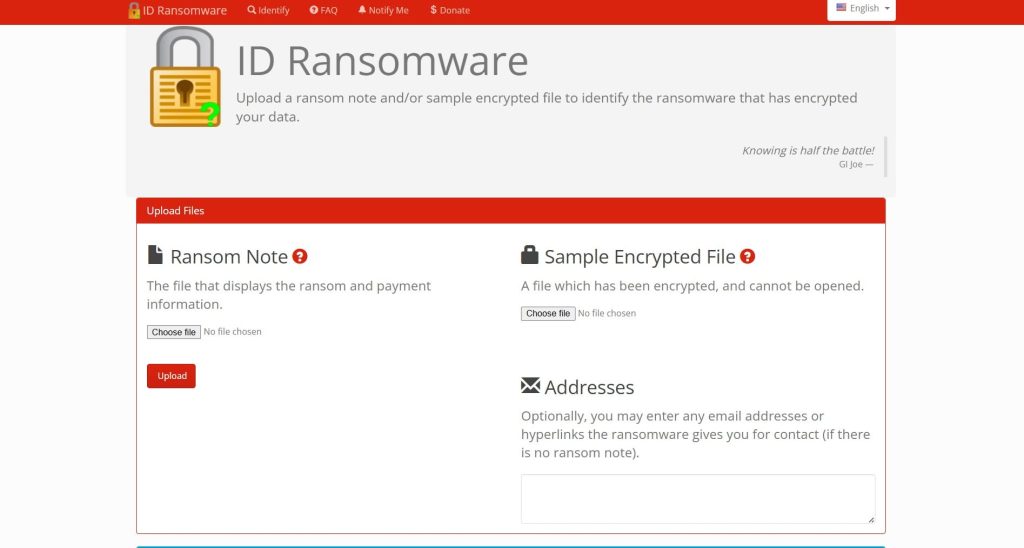
- ID Ransomware Service: Use the free ID Ransomware service to upload the ransom note and a sample encrypted file. The service will identify the strain and tell you if a known decryptor exists. Find it at ID Ransomware.
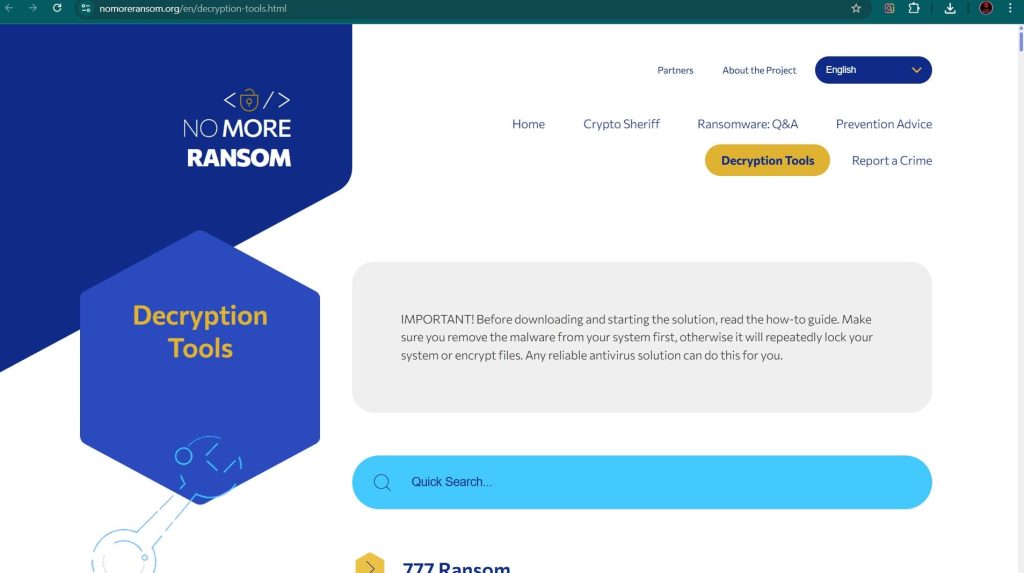
- The No More Ransom Project: This is the most important resource, providing a centralized repository of free decryption tools. Visit their Decryption Tools page and search for “Makop” or “LURK”.
- Major Security Vendor Decryptors:
- Emsisoft: Renowned for its ransomware expertise, Emsisoft offers a variety of decryptors. Check their website for available tools at Emsisoft Decryptors.
- Kaspersky: Through its No Ransom portal, Kaspersky provides the latest decryptors and removal tools. Visit Kaspersky No Ransom.
- Avast: Provides numerous free ransomware decryption tools. Find them on the Avast Ransomware Decryption Tools page.
- Trend Micro: Offers a Ransomware File Decryptor for numerous known ransomware families. You can download it from the Trend Micro website.
Path 2: The Gold Standard – Backup Restoration
If a decryptor is unavailable, restoring from a backup is the most reliable method.
Enterprise-Grade Backups: Veeam
For businesses, Veeam is a market leader in backup and recovery solutions, offering robust protection against ransomware. Veeam can create immutable backups that cannot be altered by the ransomware and offers specialized recovery processes like Cleanroom Recovery to prevent reinfection. Learn more at the official Veeam website.

Cloud and Native Backups
- Microsoft OneDrive: If you use OneDrive, you may be able to restore your files using its Version History feature.

- Windows File Versions (Shadow Copies): LURK likely attempts to delete these, but sometimes remnants remain. To check, right-click on an encrypted file, select
Properties, and go to thePrevious Versionstab.

Path 3: Last Resort – Data Recovery Software
This method has a low probability of success with modern ransomware like LURK but can be a lifeline if no backups exist.
- EaseUS Data Recovery Wizard: A user-friendly tool that can recover lost, deleted, or formatted data. You can download it from the EaseUS website.
- Stellar Data Recovery: A powerful recovery application known for its scanning capabilities. Find it at the Stellar Data Recovery official site.
- Recuva: A free and effective tool for recovering deleted files. Download it from CCleaner’s official site.
Important Procedure: Install the data recovery software on a separate, clean computer. Then, connect the infected hard drive to it as an external drive.
Essential Incident Response and Prevention
A full response includes containment, eradication, and future prevention.
Containment and Eradication
- Isolate the Infected System: Immediately disconnect the machine from the network to prevent the ransomware from spreading.
- Remove the Malware: Use a reputable antivirus or anti-malware program to scan for and remove the ransomware executable.
- Change All Passwords: Assume that credentials have been compromised and change passwords for all user accounts, especially administrators, and for any network services or cloud accounts.
Hardening Your Defenses with Modern Protection
- Endpoint Protection Platforms (EPP/EDR): Solutions like SentinelOne Singularity™ Endpoint and CrowdStrike Falcon focus on preventing ransomware by identifying and neutralizing threats using behavioral AI.
- Integrated Cyber Protection: Tools like Acronis Cyber Protect combine a traditional antivirus with integrated backup and recovery.
- The 3-2-1 Backup Rule: Maintain at least three copies of your data, on two different types of media, with one copy stored off-site or in the cloud.
- Employee Training: Conduct regular security awareness training to teach staff how to spot phishing emails and malicious links.
Post-Recovery: Securing Your Environment and Ensuring Resilience
This critical phase begins after your files have been restored.
- Step 1: Verify Data Integrity and Completeness: Check restored files for corruption and completeness by opening a sample from different directories and file types.
- Step 2: Conduct a Full, Deep System Scan: Run a full, deep scan of your entire system using a reputable antivirus or anti-malware solution.
- Step 3: Fortify All Credentials: Change all user, admin, service, and cloud passwords. Enforce the use of strong, unique passwords for every account.
- Step 4: Patch and Update Everything: Update the OS and all third-party applications to close security holes that the attackers may have exploited.
- Step 5: Reconnect to the Network Cautiously: Monitor for unusual activity upon reconnection.
- Step 6: Implement or Strengthen a 3-2-1 Backup Strategy: Create or improve a robust backup system and test it regularly.
- Step 7: Perform a Post-Incident Analysis: Review how the attack happened. Use this knowledge to improve user training and security policies.
Reporting Obligations
Report the incident to help combat cybercrime and fulfill potential legal obligations.
- Report to Law Enforcement: In the US, file a complaint with the FBI’s IC3. In the UK, report to Action Fraud.
- Report to CISA: The U.S. Cybersecurity & Infrastructure Security Agency (CISA) urges reporting via its portal.
Conclusion
The LURK ransomware, as a suspected Makop variant, represents a significant threat due to its strong encryption and manipulative ransom note. The attackers’ instructions are designed to create a sense of isolation and desperation. However, like all ransomware, it can be defeated with a calm, methodical, and prepared response. The path to resilience begins with a multi-layered security posture that combines advanced endpoint protection, robust network security, and a disciplined 3-2-1 backup strategy. Paying the ransom only fuels the criminal ecosystem and offers no guarantee of a positive outcome. By understanding the tactics of threats like LURK and preparing accordingly, you can transform a potential catastrophe into a manageable incident, ensuring that your data—and your peace of mind—remain secure.
Frequently Asked Questions (FAQ)
Contact Us To Purchase The LURK Decryptor Tool


One Comment